CI/CD 配置流程

Kaleido Lv4

配置用于执行流水线的Runner

1
2
3
4
5
6
7
8
9
10
11
12
13
14
15
16
17
18
19
20
21
22
# Download the binary for your system
sudo curl -L --output /usr/local/bin/gitlab-runner https://gitlab-runner-downloads.s3.amazonaws.com/latest/binaries/gitlab-runner-linux-amd64

# Give it permission to execute
sudo chmod +x /usr/local/bin/gitlab-runner

# Create a GitLab Runner user
sudo useradd --comment 'GitLab Runner' --create-home gitlab-runner --shell /bin/bash

# Install and run as a service
sudo gitlab-runner install --user=gitlab-runner --working-directory=/home/gitlab-runner
sudo gitlab-runner start

sudo gitlab-runner register --url http://172.29.4.49 --token glrt--dqaQz6Y-1WaZQLSjPzf

reboot

# Remove this useless file
rm /home/gitlab-runner/.bash_logout

# See status
systemctl status gitlab-runner
1
2
3
4
5
6
7
8
sudo apt-get update
sudo apt-get install ca-certificates curl gnupg
sudo install -m 0755 -d /etc/apt/keyrings
curl -fsSL https://download.docker.com/linux/ubuntu/gpg | sudo gpg --dearmor -o /etc/apt/keyrings/docker.gpg
sudo chmod a+r /etc/apt/keyrings/docker.gpg

# Add the repository to Apt sources:
echo "deb [arch="$(dpkg --print-architecture)" signedby=/etc/apt/keyrings/docker.gpg] https://download.docker.com/linux/ubuntu "$(. /etc/os-release && echo "$VERSION_CODENAME")" stable" | sudo tee /etc/apt/sources.list.d/docker.list > /dev/null

报错:没有公钥
解决:

1
sudo apt-key adv --keyserver keyserver.ubuntu.com --recv-keys 7EA0A9C3F273FCD8
1
2
3
sudo apt-get update
sudo apt-get install docker-ce docker-ce-cli containerd.io dockerbuildx-plugin docker-compose-plugin
usermod -a -G docker gitlab-runner

构建与测试

在 GitLab runner 服务器上安装 JDK(后端项目运行所需)

1
sudo apt install openjdk-17-jdk sshpass

报错:

1
ERROR: Job failed: prepare environment: exit status 1. Check https://docs.gitlab.com/runner/shells/index.html#shell-profile-loading for more information

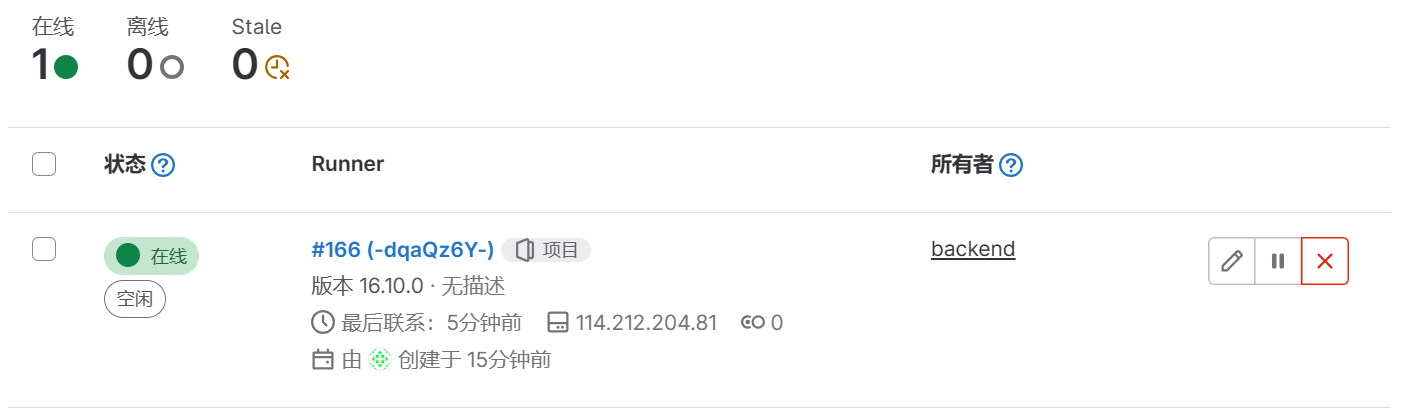
解决:
remove /home/gitlab-runner/.bash_logout

  • Title: CI/CD 配置流程
  • Author: Kaleido
  • Created at : 2024-04-11 20:34:01
  • Updated at : 2024-06-20 15:42:33
  • Link: https://redefine.ohevan.com/2024/04/11/开发日记-CICD配置流程/
  • License: This work is licensed under CC BY-NC-SA 4.0.
Comments
On this page
CI/CD 配置流程